Move Off Farm and Change Ownership (Detailed)
This is a more detailed version of how to change ownership for animals. By default, the Change Ownership event will update the owner of an animal to the farm where the animal is currently located. You also have the option to change the ownership of the animal to any farm that is under the same billing account as the current farm the animal is located on. If there are no other farms under the same billing account, then you will not have other options available to select from. This event will not create any copies of animals, it will simply just change the owner.
For example, if you would like to change the owner from Abc Holsteins to Bovisync Holsteins you will need to move the animals to the new owner farm first. Once the animals are at the new farm the owner can be changed via the Change Owner event. This guide will go over this process to first move animals to a new farm via a Move Off Farm event. Then we will show you how to change the owner via a Change Owner Event.
If you simply need to update the owner of animals and they are at the correct farm, go to step 10.
If you need to update the owner of the animal and their current owner is part of the same billing account as the new owner, go to Step 13.
Written Instructions:
When needing to move animals off farm to the owner farm:
2. Enter the eartags in the box as shown above. (Space-separated) Tip: You can copy and paste a list of eartags from Excel
3. Click 'Fetch Report'
3. Click 'Fetch Report'
4. Next, copy and paste the report URL and save it in a notepad file, you will need this exact report in later steps.
5. Select all the animals on the report, and click 'Event Entry'
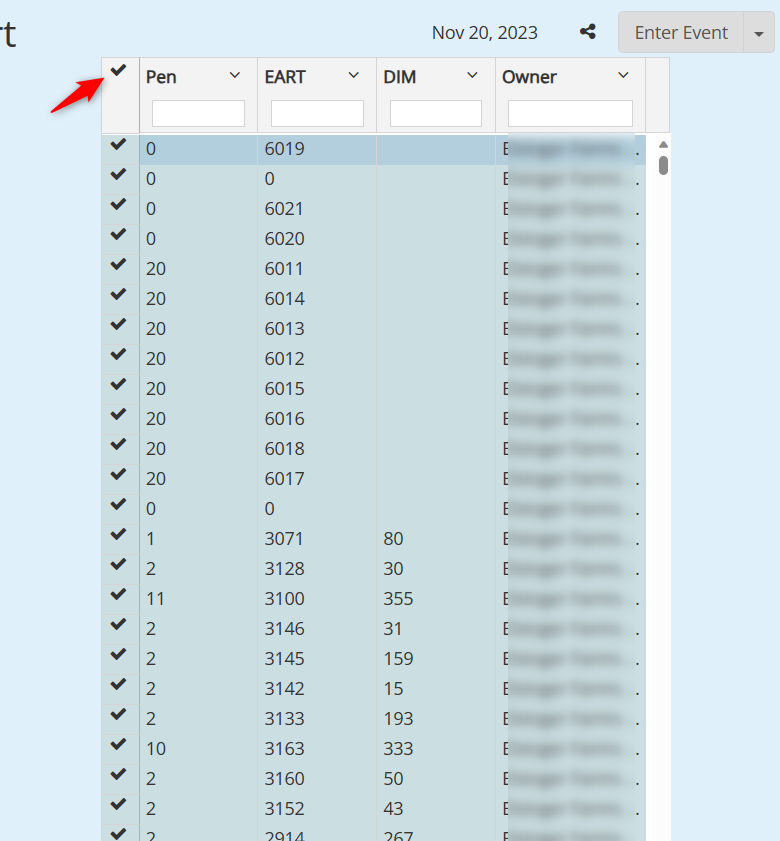
Entering Move off Farm Event (if needed)
6. Enter a 'Move off Farm' event. (The animals ownership will be based on the farm they are located at)
7. (Optional) Enter a note for the event, this will be used to track the animals for later steps. (This is only needed for Method 2 below)
8. Log in to the farm you moved the animals to. Copy the report URL you saved from step #4 and paste it into the URL box. You should see the same list of animals as step #5
9. Select all the animals on the report, and click 'Event Entry'
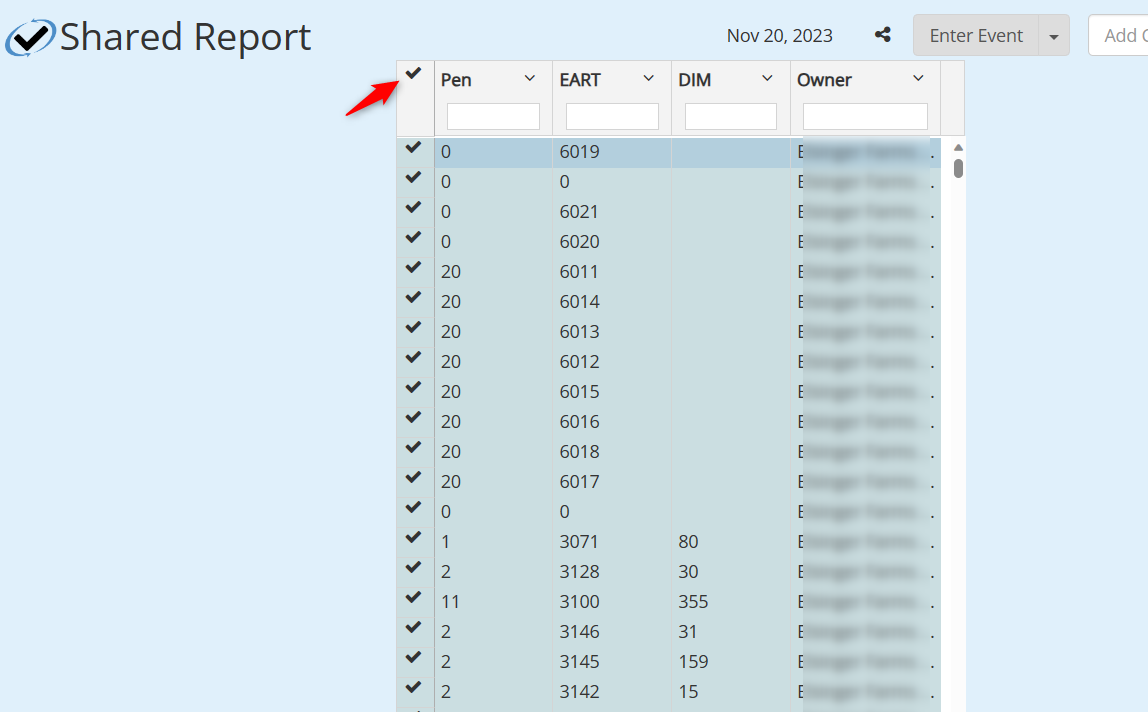
Entering the change ownership event
10. Enter a 'Change Ownership' event:
11. (Optional) Enter an event note, this may be useful when tracking/reporting ownership changes in the future.
12. Refresh the report, you will see the ownership change has now taken effect:
Change ownership within Billing Group

13. If you will be changing the ownership to a farm in the same billing account, you do not need to move the animal off farm.
Simply select the correct owner from the Owner Farm dropdown menu. If you do not select anything, it will default to the
farm you are currently logged into. Here is an example:


Remove Move off farm events.
If you moved the animal to the farm only to change the ownership and want to return the animal to the off-site farm, there are two methods of doing so:
1. Delete the 'Move off Farm' event that was created during step 6
2. Enter a new 'Move off Farm' event for that animal, and re-enter the correct pen
Method 1 is preferred because it is much less error-prone. Below are two separate methods that can be used to delete 'Move off Farm' events.
Method 1 (A)
1. Paste the report from step #4 above into the URL bar
2. Use the instructions in the photo to open each animal's cow page in a new tab
3. Go the Events Tab and click 'Edit' on the 'Move off Farm' event:
4. Delete each 'Move off Farm' event (These were the events entered in Step #6 above)
5. Refresh the report from step #1 to see the final results:
Animals were successfully updated and returned to prior farm and pen
Method 1 (B)
In order for this method to work, you must follow step #7 from above.
2. Open each event by clicking the 'Edit' button
3. Delete each 'Move off Farm' event (These were the events created during step #6)
4. Refresh the report from step #1 to see the final results:
Animals were successfully updated and returned to prior farm and pen